A few years back, I thought it would be fun to try and construct a historical inventory of my PC computers. This stemmed from a nagging desire to track down the exact brand of my very first computer, which I eventually discovered was a Systemax AMD 2400 from 2003. I dubbed it the Fortress of Consternation. Or, rather, the machine was called ALBATROSS, but the hard drive inside the machine was named the FoC.
Ol’ Connie was my PC from 2003 through 2008–I even shipped it across the country for a summer in 2005, when I was interning at a theatre in upstate NY. For reference: I didn’t own a laptop, couldn’t afford a laptop, and smart phones wouldn’t exist for another 3 years, and I would have gone insane without my computer. So I shipped it to NY from my mom’s work, saving me money, and then when I shipped it back at the end of the internship via a much more expensive UPS option, they wrapped it in a shitload of highly static cling wrap which guess what you’re not supposed to do. Despite that, I still used it for three more years!

Most of my historical digging at the start was done by searching through my gmail account for anything labeled “tigerdirect” or “newegg.” TigerDirect was my computer parts website of choice back in the day, and whenever I had student loan money I would often spend it almost immediately and without any financial acumen there.
This post is a retrospective of over 20 years of PC ownership. This is what the kids call a “long read,” so buckle up.
ALBATROSS
Bought: September, 2003
Type: Desktop PC
Cost: $600 ($1,060 in 2026)
The story of my descent into PC madness begins as it usually does: with screw ups.
In the beginning, I was using my father’s computer. We had a couple over my childhood, but based on my hazy memory, the last one I used was probably this tower, a Gateway Essential 600 which was from 1999:
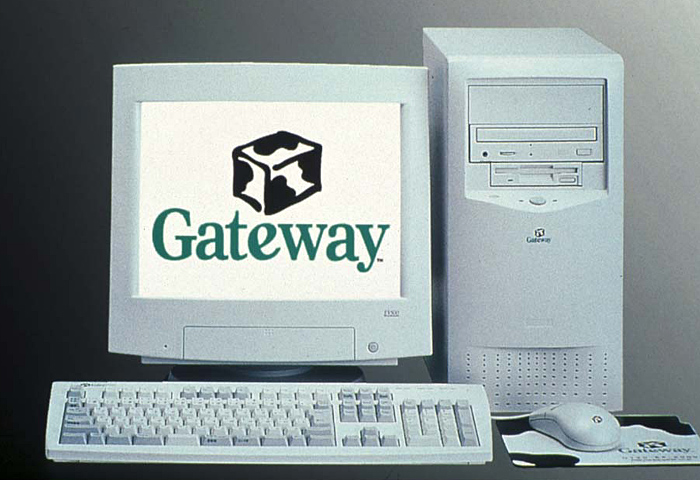
I’m pretty sure it was the 600, as the 450 was taller and had four drive bays, and I don’t remember having four. Anyway, for fun, here were the specs, at least the ones I could find on this Japanese website:
- CPU: Intel Pentium III 600Mhz
- RAM: 64MB (DDR? DDDon’t worry about it)
- HDD: 5.1GB “UltraATA”
- ROM: 24x CD-ROM
- And the ubiquitous floppy disk.
I’m seeing a 400Mhz Celeron version on eBay, but think we had a proper Pentium. It might’ve been a Pentium II, though. It’s hard to find this shit online! Gateways were super popular back in the day, and I wouldn’t be surprised if the above image was the exact thing my dad bought. (Also you could get a PC, monitor, AND keyboard & mouse, in a bundle for like $600-700! Insane!)
(Side note: eBay resellers are calling PCs from the late 90s “vintage” and that is causing my eye to twitch.)
Also, sorry, sorry, but these were the speakers that were with this computer at the time.
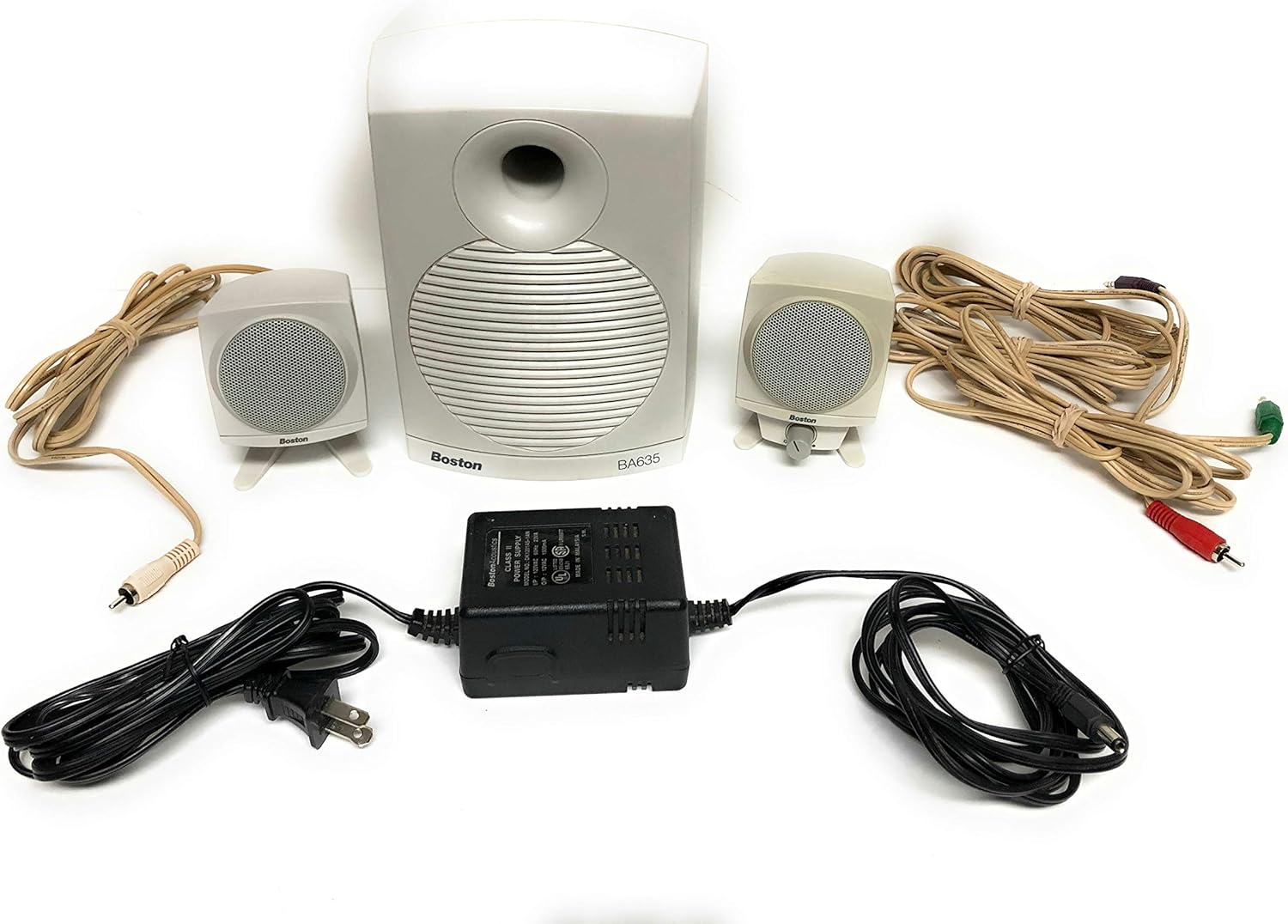
I had these speakers for YEEEAAAAAAARS. I used them until … five years ago? Six? They were still good speakers, right up until the end.
Okay. Anyway.
The family computer was in the living room, which meant I could play games on it and only search Nefarious Websites for Risque Materials at night, after my parents had gone to sleep. I lamented about it in November 2001 on my LiveJournal:
I hate having the computer in the front room, right across from the couch where he [my dad] sits, and when I ask if I can move it into the back bedroom, he says, “But then I’ll never see you.” I wanna say, “YOU SEE ME ALL THE TIME,” but I’m too nice for that. So instead I agree and go back to the comp.
I’m sure this only worsened my teenage insomnia. Eventually I got a job and then started college, which provided me the sweet, sweet student loan money I would need to buy ALBATROSS.
In April 2002 the family computer crapped out on us:
Complete. Computer. Meltdown.
That’s what occured in the past two days. The good news? The hard drive is clean. The bad news: It was reformatted. So who knows how much countless crap that I had that is now gone. Thank god for Zip disks is all I can say.
Ahhhhh, ZIP disks. I still have some! Which is to say, my mom saved them and gave them back to me. I don’t have a drive for them, either. Oh well.
Despite the meltdown, I still didn’t buy a PC until the following year–or, rather, I attempted to buy a laptop that ended up being backordered, so I canceled it. A Toshiba Satellite, Intel Celeron 2.0 with 256MB of RAM and a 30 gig hard drive. A friend berated me in my LiveJournal entry for getting a bad laptop. Well, I never got it in the first place! So there!
That was my first screw up. The next is that I bought two computers at the same time. I first bought a Gateway because the ’99 family computer was a Gateway. Pretty sure it was this one, the 310S, which was the cheapest option at the time:
For reference, here were its specs:
- Intel® Celeron® Processor 2.6GHz with 128K cache
- 256MB DDR SDRAM
- 40GB ultra ATA100 5400rpm hard drive
- 48x/24x/48x CD-RW/DVD combo drive
- Gateway Micro-Tower Case
- 3 PCI Expansion Slots
- (6) USB (2 in front and 4 in back are version 2.0)
- Parallel, Serial and (2) PS/2
- 17″ Color Monitor (15.9″ viewable area)
- Integrated Intel® Extreme Graphics with up to 64MB dynamic video memory
After purchasing this, I decided to not get it and bought the Systemax instead, because I believed I could get a better option for a lower price. But despite my protestations to their website, the Gateway PC had already been packed up and shipped, so I had to send it back. Gateway customer service was very nice about the whole thing, which was extremely helpful for a dumb 20-year-old me. They even let me keep the monitor! (Not for free, of course, but still!)
I deleted all my old receipt and “your package is being delivered” emails that I had originally referenced to find out these old computer specs. Generally a good idea, but in writing this, I wish I hadn’t, because I was very sloppy in my data gathering. But then I had an idea to check archive.org and was VERY surprised to learn just how much of tigerdirect.com was archived on that site. It’s WAY more than I thought it would be. Even though I couldn’t access the page itself, I managed to find my computer (or the closest to it) on a listing.
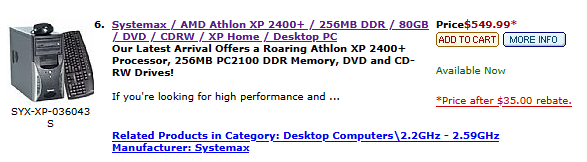
Here were its specs:
- CPU: AMD Athlon XP 2400+ / 2 GHz 266 MHz
- MOBO: Socket A VIA ProSavageDDR KM266
- RAM: 256 MB DDR 266Mhz PC2100
- HDD: IDE 7200 rpm Parallel ATA 80GB
- GPU: S3 ProSavage8 32 MB (integrated)
- GPU: AMD Radeon 9200 128MB
- I must’ve bought this later, considering the original GPU was integrated. Wasn’t my first GPU; I think that would have to be a 3dfx Voodoo back in the 90s.
- CASE: Systemax™ Black Micro-ATX Case
- PSU: 300-Watt Power Supply
- DVD: DVD-ROM 52X
- CD: CD-RW.
- MISC: 250 Zip Drive (bought later)
256 MB of RAM! DDR! Just DDR, no DDR 2/3/4/etc. A 300 watt PSU! Nobody thought about power supplies back then. I also distinctly remember fighting over hard drive space due to all the mp3s I hoarded thanks to Napster and Limewire.
So: Was the Gateway or the Systemax PC better? Surprisingly, there is a website that lets you compare old CPUs. And if we went with only that as a metric, then I think the Gateway wins. In fact, the only real downside of the Gateway PC is the smaller hard drive. I bamboozled myself, thirteen years ago! Oh well.
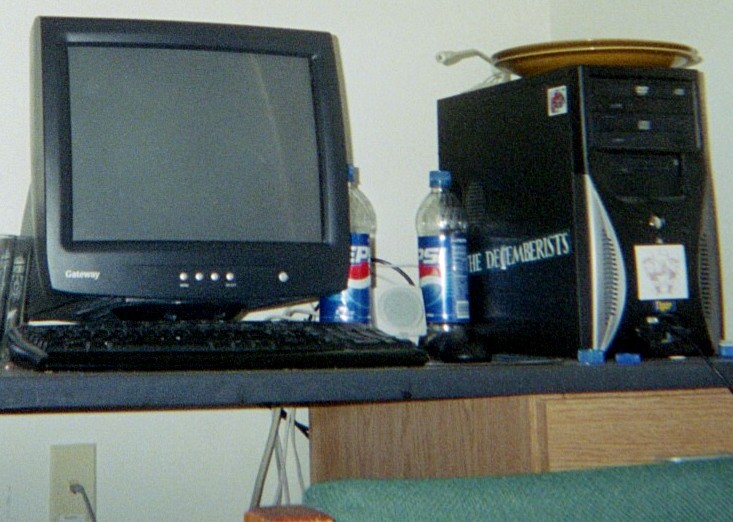
ALBATROSS was my first PC. The first once I spent my own money on (that I borrowed from the government and will never, ever pay back, but still). It went from my parents basement to my first apartment in Boise, to Auburn, NY and back, and then to Portland, OR, where I live now. It saw a lot of shit!
I kept it until February, 2011, apparently, according to Facebook. I really can’t believe I kept it for as long as I did, considering the damage and constant freezing it would do. I guess this is what happens when you’re broke. I don’t remember what happened to it, ultimately. I can only assume I took it out to pasture, or tossed it (hopefully to some sort of e-cycling center).
MAGRAGEEVES
Bought: April, 2009
Type: Desktop PC
Cost: $430 ($652 in 2026)
I should probably note early on that I give my computers funny names.
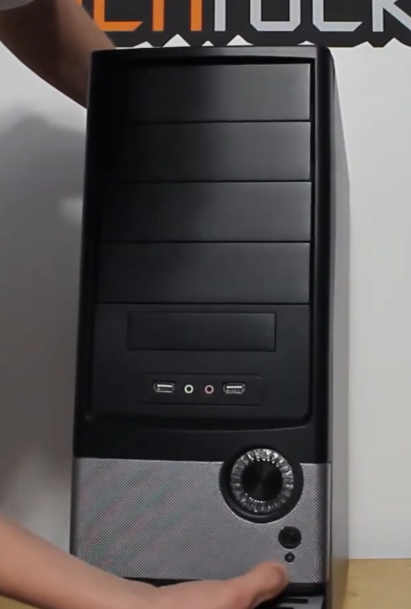
So, eventually the damage from ALBATROSS’s saran-wrapped flight across the US was too much. The computer was freezing on me very often, to the point where it was virtually unusable and I had to quickly find a replacement. That came in the form of, I guess, another Systemax: The Venture Vsomething. VC? VXP? I don’t know. The case looked like this:
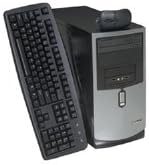
This is the best quality photo I could find on the internet. But it looked like that. Here were the specs:
- CPU: Intel Pentium Dual Core E2220 2.4Ghz 1M
- MOBO: G31M3-F mATX Motherboard
- RAM: 2GB DDR2 800Mhz PC6400 Memory (2GB x 1)
- + Centon 2GB800DDR2 2GB Memory Module – PC6400, DDR2, 800MHz which I bought later
- HDD: WD 500GB 7200 RPM
- GPU: ATI Radeon HD 3650 1GB PCIe (2 DVI)
- CASE: Systemax microtower mATX form-factor case
- PSU: 250 watt!
- DVD: 22X DVDRW SATA Drive Black
I actually took a photo of the setup, which was listed in the case! I took it in 2020 which means I had it for that long?! Wild!
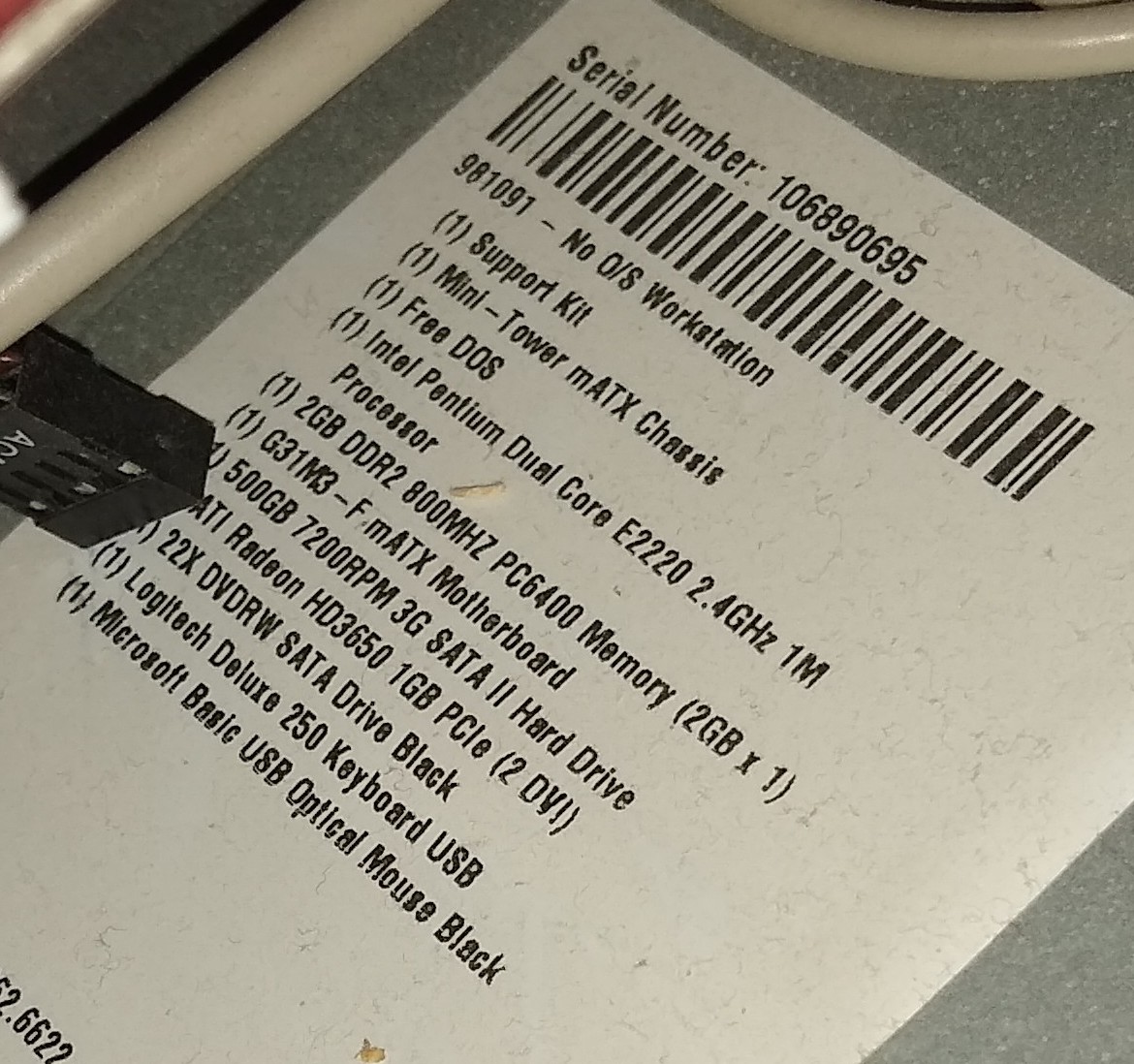
TWO cores?! Unheard of. I also upgraded the RAM, adding a second 2GB stick.
After doing some more research, I’m pretty sure this was one of their “build-to-order” PCs. I found one of configure pages from TigerDirect and I DISTINCTLY remember this screen.
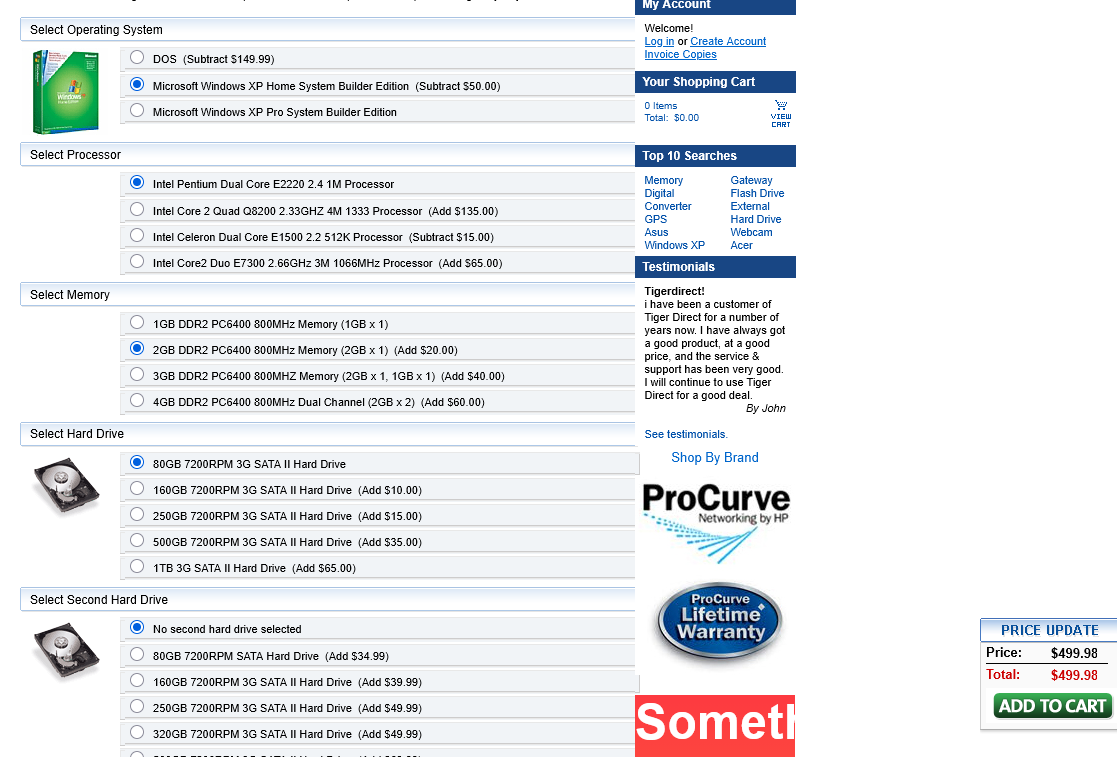
I spent so. much. time. on this screen, trying to pick something that I liked but wasn’t too expensive. You’ll note on the earlier spec sheet picture that it says “Free DOS,” that’s because I picked DOS as my OS because Windows was too expensive, and I wanted the GPU. Amazing. DOS! Still existed in 2009. I’m honestly super pleased that I found this. Thanks Wayback Machine!
I ended up keeping this PC and the next one for several years after I stopped using them (up to 2020, apparently). We put one in the guest room of the house I was renting at the time. MAGRAGEEVES was upgraded with a 500gb SSD and sold to a friend of mine for very cheap (like $50). She needed it for school and I would not be surprised if she tossed it like six months later and got a laptop instead.
For some reason I kept the GPU until a couple years ago, as if I was going to use it. It looked like this:
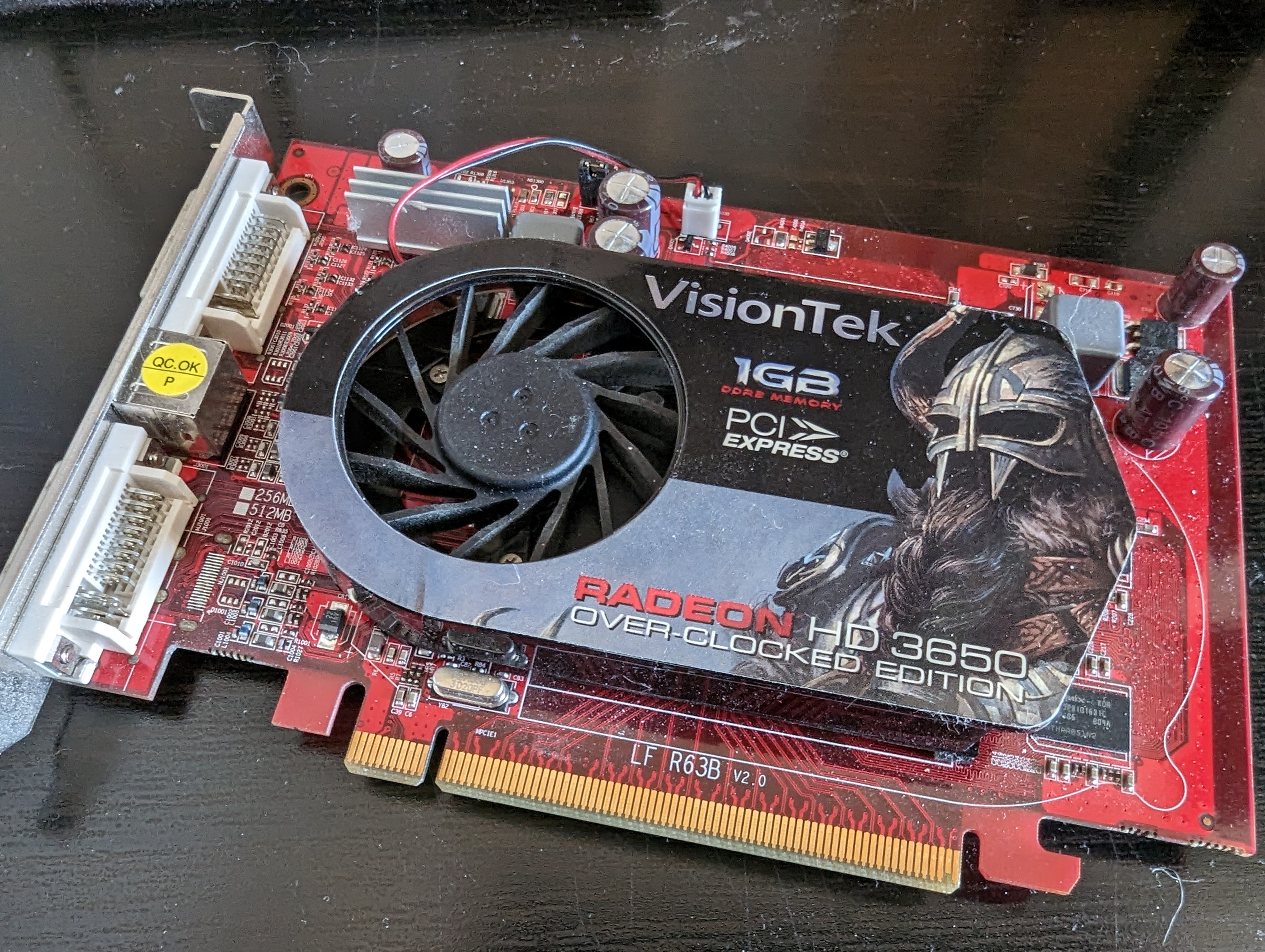
Which is very funny to me considering that the GPU would be seated upside down from this photo, meaning you’d never see the fancy viking art.
CABERTOSS
Bought: February, 2011
Type: Desktop PC
Cost: $280 ($405 in 2026)
I’m not sure exactly what made me buy this extraordinarily cheap PC. Maybe it was this picture on TigerDirect’s homepage:

Unfortunately, the link that was on this image wasn’t archived, and I never took a photo of this PC, so this is all you’re gonna get. I’m almost certain this was a “we need to get rid of these parts” type of sale. The parts on the picture are actually the parts though! I double checked to make sure.
So yeah, I think the allure of a cheap, quad core CPU build did it for me. But the entire setup really felt so, so cheap. This was the first PC I bought that had a dedicated computer case brand, though. Here were its specs:
- CPU: AMD Phenom X4 9600B 2.3Ghz AM2+ OEM CPU
- CPU Cooler: Cooler Master AM2 95w CPU Fan
- MOBO: MSI K9N6PGM2-V V.2 GeForce 6100 Socket AM2+ MB
- RAM: Crucial 2GB PC6400 DDR2 800MHz
- HDD: WD Caviar 500GB Serial ATA HD 7200/16MB/SATA-3G
- GPU: ATI Radeon HD 4650 1GB PCIe w/Dual Link DVI
- CASE: PowerUp G54-8019 Executive ATX Mid-Tower
- PSU: Sparkle Computer Corp PS Series 400W PSU
- DVD: Lite ON 24X DVDRW SATA OEM
According to my Facebook archive, I bought the CPU cooler, GPU, and PSU separately. The first two were because the barebones kit didn’t have them, and I’m sure I got a new PSU because whatever was in this thing was not going to cut it. Dunno how much those cost and god I hope I moved them into MAGRAGEEVES.
I have no photos of this PC because I barely used it. It scared me. It was very cheap and the case was very flimsy. I’m realizing now, fifteen years later, that it was cheap because the parts were a few years old, not because they were bad parts. The AMD Phenom X4 was three years old when I bought it. Not a tremendous amount of time, but the Phenom IIs were already out, plus the late 2000s/early 2010s were a really wild time, in terms of components. Also in hindsight, I think the case was the only flimsy thing about this setup. I should’ve kept it and just bought a new case.
This sat in a closet for a few years before I donated it to a friend.
FIRGADOR
Bought: September, 2011
Type: Laptop
Cost: $600 ($871 in 2026)
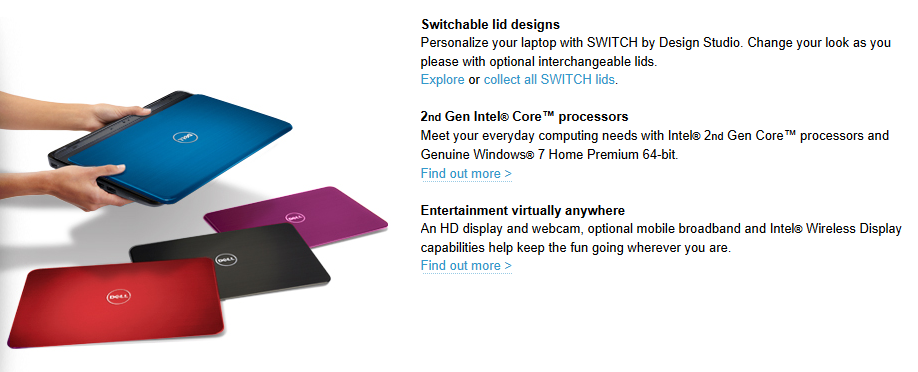
My first laptop! A Dell Inspiron 14R. This is literally what the specs said in the email:
- DELL I14R I52410M 6/640/DVD/W7HP/14 NB
You might be able to glean what most of this means, but in case not, I found the original specs:
- CPU: 2nd Generation Intel® Core™ i3-2310M processor 2.10 GHz
- RAM: 6GB Dual Channel DDR3 SDRAM at 1333MHz
- 640GB4 SATA hard drive (5400RPM)
- Intel HD Graphics/HD Graphics 3000 with up to 1.6GB Dynamic Video Memory
- 8X Tray Load CD/DVD Burner (Dual Layer DVD+/-R Drive)
- Integrated 1.0 mega pixel widescreen HD Webcam
This way back in the day when hard drives could have weird amounts. 640 is a weird amount for a hard drive.
Here’s what it looked like:
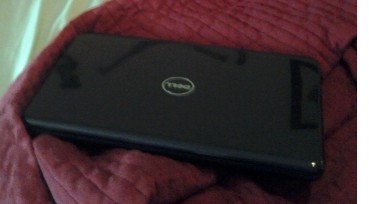
I still have this laptop, though now it looks like this:
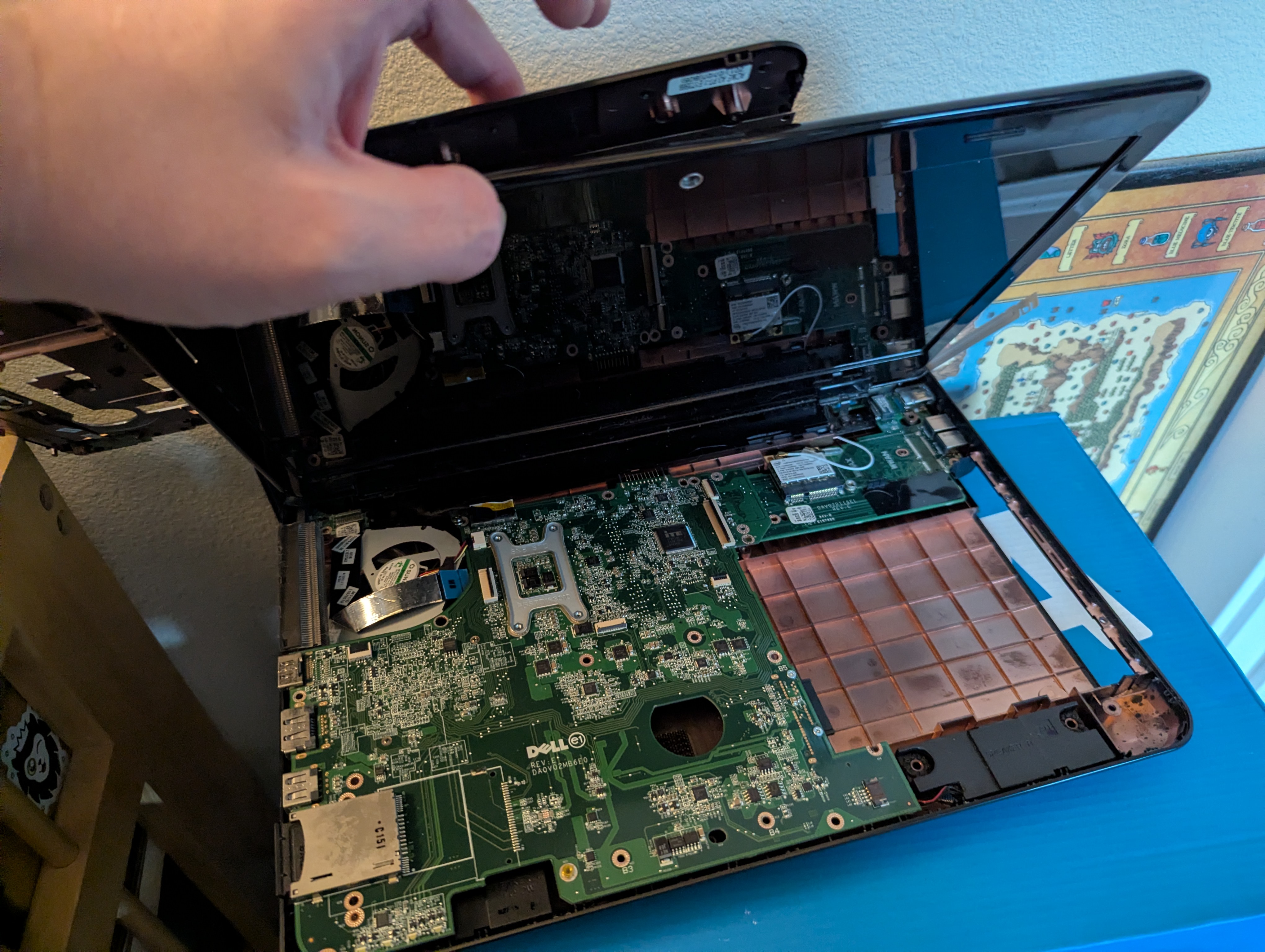
Here’s a brief rundown of how it got this way:
- The laptop stopped booting up several years ago. I think it’s a faulty power supply, but it’s actually just a bad battery.
- I get a new battery three(?) years ago; laptop boots up again!
- But it’s slow as hell, so I take it apart to swap the hard drive with an SSD, which speeds it up considerably.
- After I do this, I put it back together.
- Cut to last month. I never use this laptop. The moment it gets slightly warm, a fan inside it spins so loud it sounds like an jet engine taking off. I’ve decided I want the SSD back.
- I take the laptop apart again, and grab the SSD.
- I decide not to put it back together again.
The plan is to donate it to Free Geek.
The “fun” concept with this Inspiron line is that you could detach the cover and swap it with another, fancier cover. I never did that. As far as I can tell, nobody else did either.
I used this mainly for D&D games, as the modern era pulled us away from physical books and into spending more money on a second copy of digital books.
GARGAROTH
Bought: November, 2011
Type: Desktop PC
Cost: $1,819 ($2,643 in 2026)
A stupid premonition from November, 2011, via my Facebook:
Just finished ordering parts for my latest, and hopefully last, computer build. This one should last for a few years and plenty of upgrades.
“Hopefully last.” So naive. So, so naive.
I present: GARGAROTH. (In the lower right corner.)
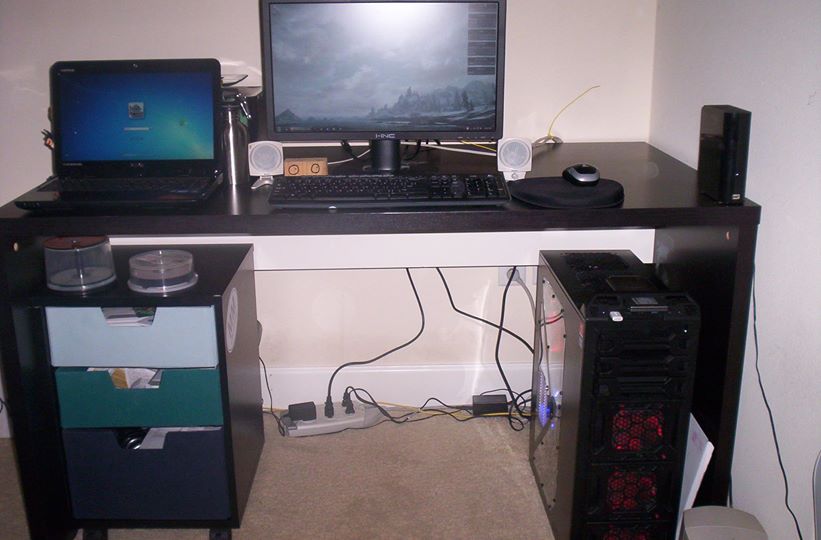
This photo doesn’t really do it justice. That computer tower is HUGE. This was the first PC I built myself, part by part. I probably ordered everything off Newegg by this point.
Here’s the specs, which, by the way, were a lot of very popular choices at the time:
- CPU: Intel Core i5-2500K Sandy Bridge 3.3GHz
- CPU Cooler: MasterCooler Hyper 212
- MOBO: MSI|P67A-GD65 (B3) P67 LGA1155 R
- RAM: G.SKILL Ripjaws Series 8GB (2 x 4GB) 240-Pin DDR3 SDRAM DDR3 1333
- Just real quick because RAM is expensive as hell right now: these sticks cost $43. Total.
- SSD: CRUCIAL 64GB
- HDD: 4x WD 500 GB 7200RPM SATA III 16MB cache, 1 Toshiba 2TB
- GPU: MSI R6950 Twin Frozr III 1G/OC Radeon HD 6950
- GPU UPGRADED: to VGA MSI|R7950 TWIN FROZR 3GD5/OC R (12/2012)
- CASE: ANTEC DF-85 RT
- PSU: ANTEC 750W GREEN
- DVD: Blu-Ray thing
- KEY: Logitech wired keyboard and
- MAUS: G9x mouse
- FANS: Blue fan
Let’s begin with the case. The ANTEC DF-85 RT.
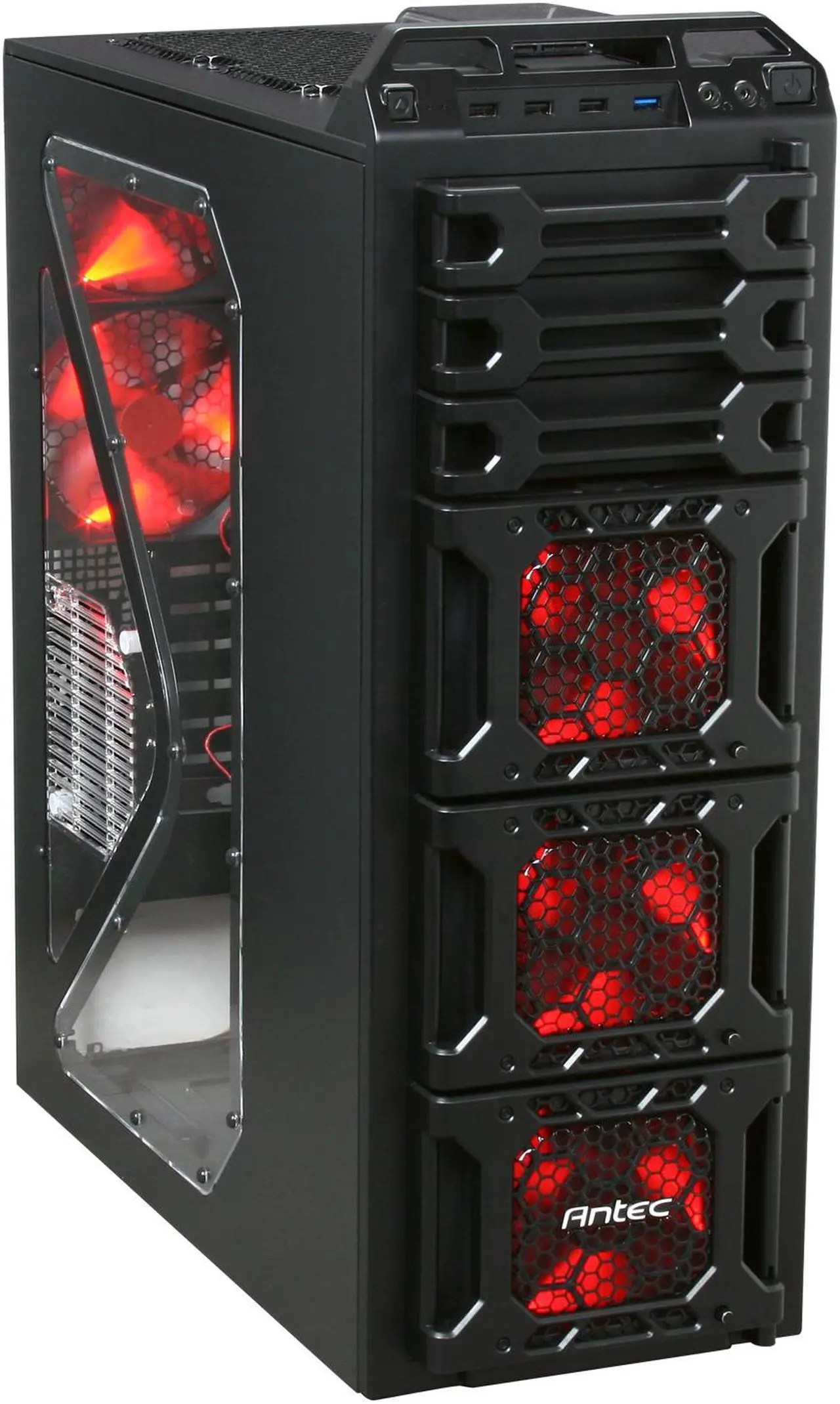
Look at this stupid ass case. This computer case is TWO FEET TALL. This computer case has EIGHT FANS. (Seven came with and then I for some insane reason bought a blue RGB fan for that side mount there, instead of red one.) The three font fans each have a little knob you can turn to make them go faster. Yes it has red RGB, of COURSE it has RGB. Each fan mount on the front opens like little doors so you can clean and access the hard drives. It has bays for three 5.25″ devices (like CD-ROMs and such), SIX 3.5″ hard drives, and one 2.5″ SSD mount on the bottom of the case for some wild reason. Plus a hot swappable 2.5″ bay at the very top.
This case was made out of STEEL and weighed 26 pounds, on its own, without components installed.
For reference, my current PC case (Fractal Meshify C) is 17″ tall and weighs about 13 pounds on its own.
GARGAROTH was also my first time using the Cooler Master Hyper 212, also known as a “tower” cooler. Prior to this, CPU heatsinks were smaller and generally mounted flat onto the CPU, and the fan blew the air straight outward. The Hyper 212 turned the heatsink and fans 90°, creating the “tower” look and allowing the fans to blow the hot air from the heatsinks directly to the back of the PC. I thought this was the coolest thing at the time, no pun intended. It just looked neat and was big and bulky.
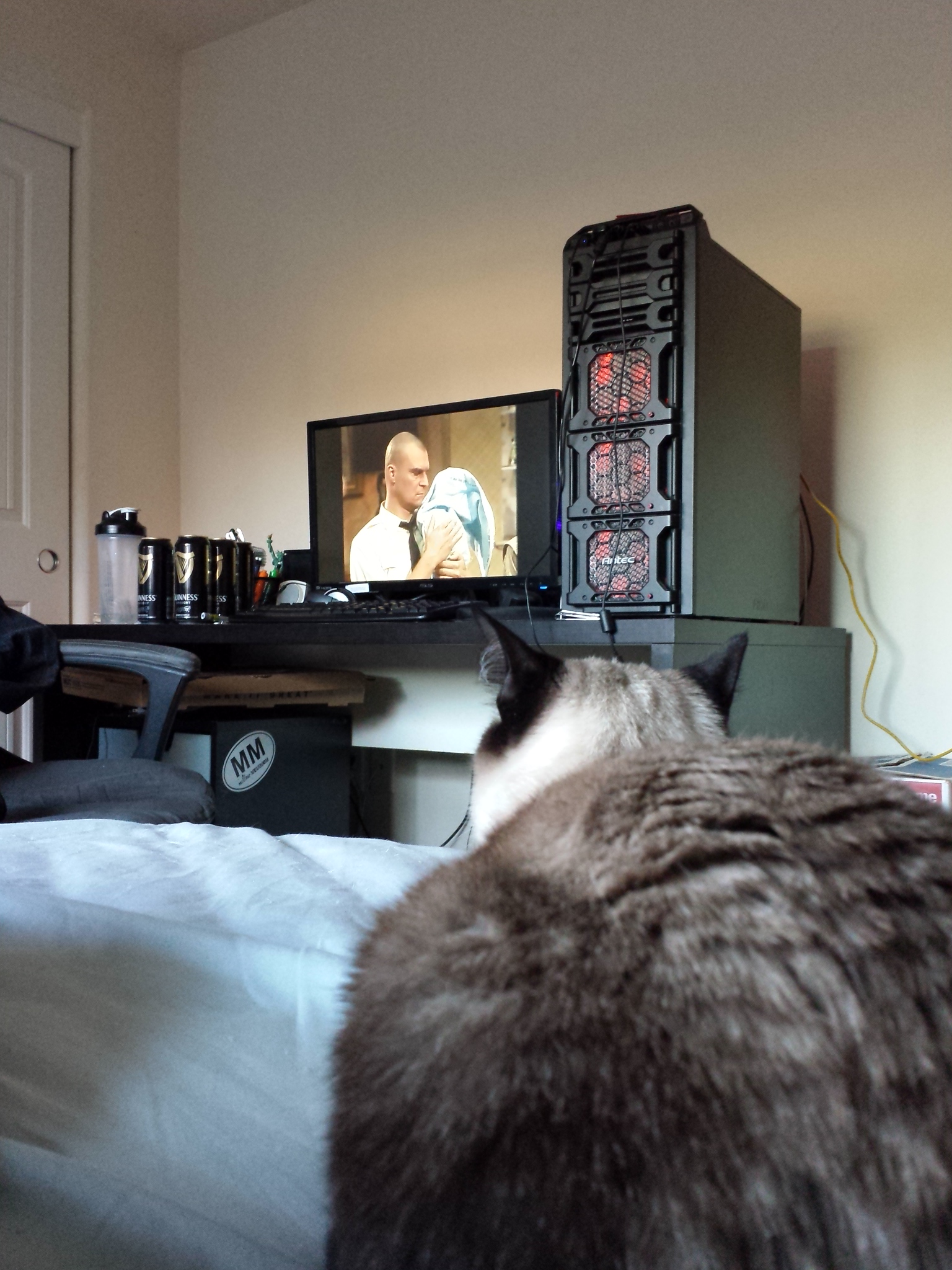
If ALBATROSS was my meek and mild entry into PC ownership, GARGAROTH was my brash and bold (if maybe a little garish) “I’M A PC GAMER!” exclamation. It truly was a great PC and handled almost everything I threw at it at the time. It was my first real attempt at cable management, too; I did alright. After nine years of gaming on it, however, it was time to move on. I ended up donating most of it to Free Geek, while a few components were repurposed into SMOLCOMP.
INZHISERA
Bought: Sometime in 2017
Type: Chromebook
Cost: $250 ($333 in 2026)
This was a Chromebook laptop. It was very slow and I bought it because A) FIRGADOR wasn’t working, B) it was cheap, and C) because I was becoming a real Googlehead at the time. I could only find one photo of it and it’s this one:
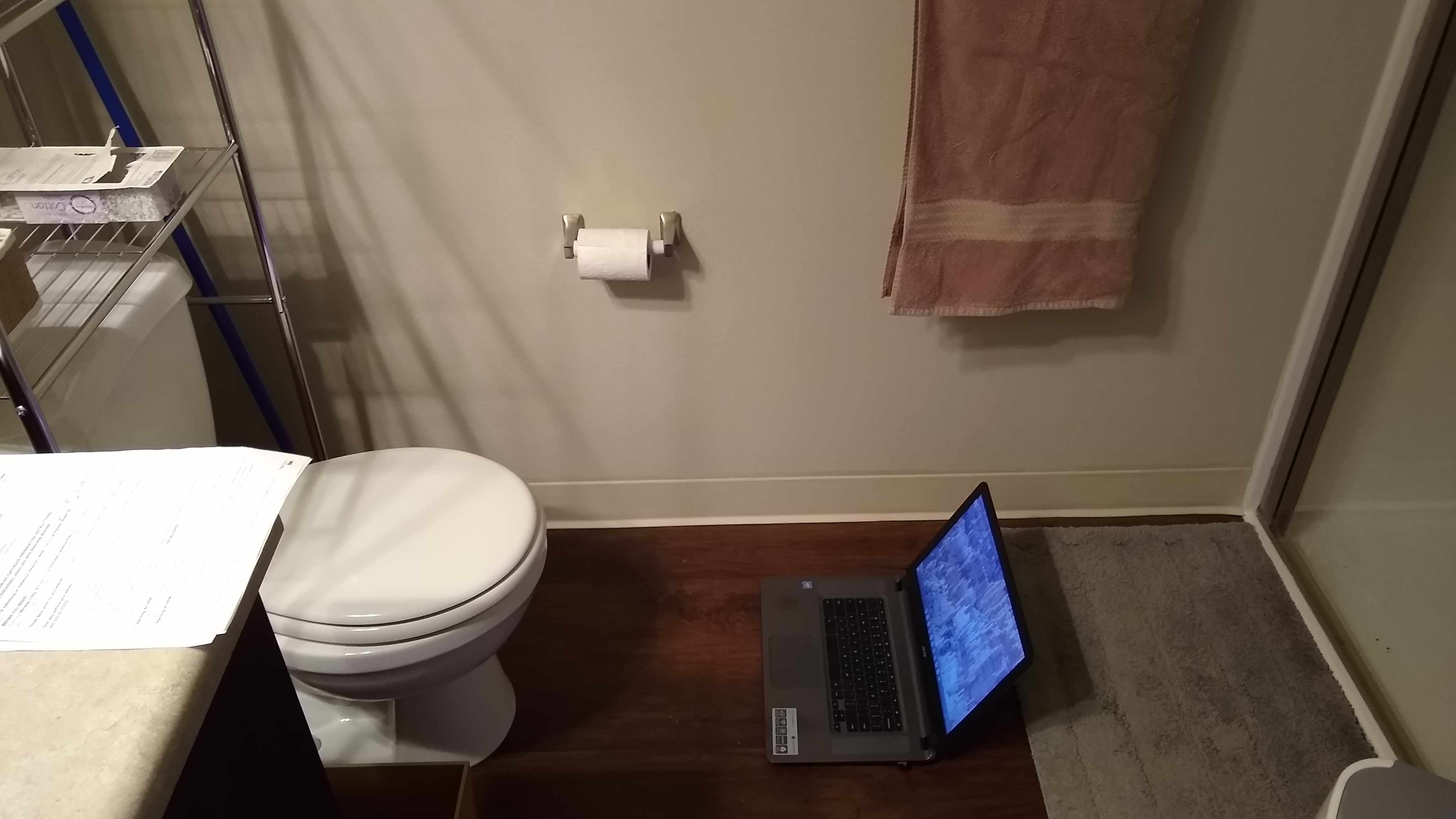
This was my “pre-colonoscopy prep” photo in 2021.
Here are some specs I could find:
- Intel Pentium N4200 processor (4 cores, 1.1Ghz)
- 4GB of memory
- 32GB of flash storage
Chromebooks are kind of a terrible idea, but also a great one if you love Google. This one handled small tasks alright, but I tried to run a D&D game on Roll20 once and it was so slow it became unusable.
Inzhisera was donated to Free Geek.
BALGRAHR
Bought: January, 2020
Type: Raspberry Pi
Cost: $99 ($125 in 2026)
Before the pandemic hit, I bought a Raspberry Pi 4 (model B, 4gb of RAM). In fact, I bought an entire starter kit from Vilros, with a power supply, case, HDMI cable, and lil fan. My plan was to use it as a media player for all the movies and TV shows I legally obtain (I actually really did, through Netflix, and then used some weird Linux setup to watch it on the Pi). Along with it I bought a 3-way HDMI switch to swap between inputs, a cheapo sound bar, and a wireless Logitech keyboard and mouse. It worked fine but ended up being kind of a pain. I liked playing around with Ubuntu though! I ended up repurposing it into GOGREZ.
THARGORAD
Bought: April/May, 2020, but upgraded a lot since then.
Type: Desktop PC
Cost: Originally, $1,273 ($1,607 in 2026)
I am typing this from THARGORAD right now. The product of those paltry covid stimulus checks, THARGORAD was the direct successor to GARGAROTH, taking advantage of newer hardware (within my budget, of course). Here are the original specs from 2020:
- CPU: AMD Ryzen 5 3600 3.6 GHz 6-Core Processor
- CPU Cooler: Cooler Master Hyper 212 EVO 82.9 CFM Sleeve Bearing CPU Cooler
- MOBO: MSI B450 TOMAHAWK MAX ATX AM4 Motherboard
- RAM: Corsair Vengeance LPX 16 GB (2 x 8 GB) DDR4-3000 Memory
- Again, due to RAM shortage: this was $80 and I later bought another 2 x 8 GB sticks of the same RAM for $43.
- NVMe: WD – BLACK SN750 500GB Internal Gaming SSD PCIe Gen 3 x4 NVMe
- SSD: 2x Western Digital Blue 500 GB 2.5″ Solid State Drive
- HDD: 2x WD Blue 1 TB
- GPU: MSI Radeon RX 580 DirectX 12 RX 580 ARMOR 8G OC 8GB 256-Bit GDDR5
- CASE: Fractal Design Meshify C ATX Mid Tower Case
- PSU: Corsair RM (2019) 750 W 80+ Gold Certified Fully Modular ATX Power Supply
- KEY: Logitech G213 Prodigy Gaming Keyboard
- MAUS: Logitech G102 (G203) IC PRODIGY 8000DPI 1000Hz Polling Rate 16.8M Color RGB Gaming Mouse – Black
- MON: 2x Dell – 27″ IPS LED FHD FreeSync Monitor – Piano Black
- SPKR: Logitech Z333 2.1 Speakers
- FANS: 4x Cooler Master 120mm
Some of these parts came from Best Buy, some from Newegg. Here was my setup in 2021:

Simple, elegant, with components right in the middle of the bell curve of what people were buying at the time.
I have since done some upgrades.
- RAM: Added the aforementioned 2 x 8 GB sticks. These are technically 3200 Mhz, not 3000, so they are effectively underclocked.
- HDD: Swapped the two 1 TB drives for two 4 TB drives.
- SSD: Swapped the 500 GB drives for 1 TB drives, and then 2 TB drives. (I have too many hard drives.)
- GPU: Upgraded to a Radeon 6700 XT 12GB in Jan 2023 and then AGAIN to a 9060XT 16GB three years later, because the 6700XT broke.
- Bought an ultrawide monitor.
- Bought a better webcam. (Logitech C615)
- Bought an Xbox controller.
Those additions cost a total of $1,640 (won’t do the 2026 version here because these were bought at different times).
I have also upgraded some core components, but I’ll get to that later.
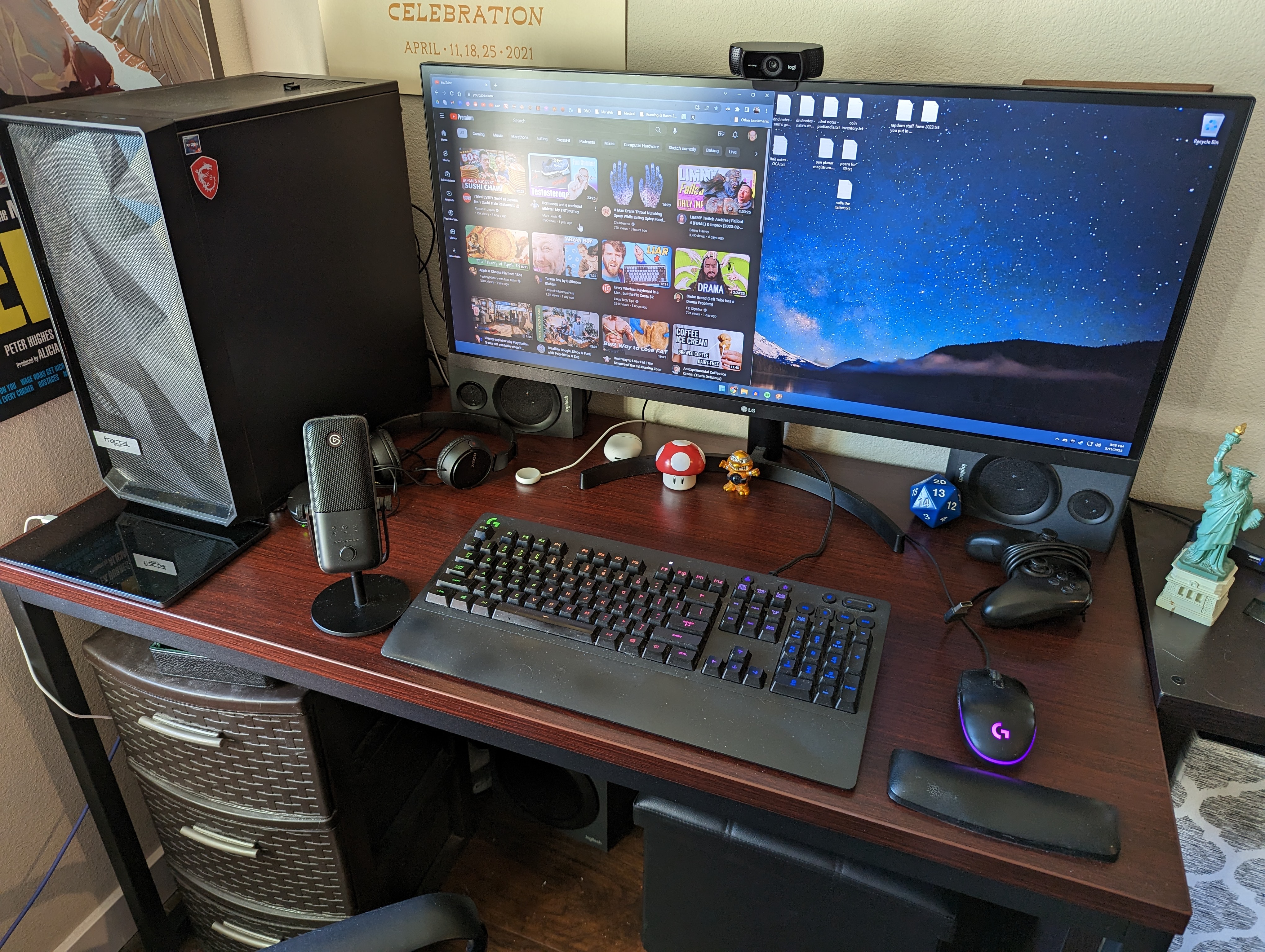
THARGORAD is a nice merger between the simplicity of ALBATROSS and the powerhouse nonsense of GARGAROTH. I am a big fan of it.
SMÖLCÖMP
Bought: 2021 (repurposed)
Type: Desktop mini PC
Cost: $138 ($176 in 2026)
So, GARGAROTH was retired, its giant case stuffed into my closet. I had gotten rid of the ancients, MAGRAGEEVES and CABERTOSS. BALGRAHR (the Raspberry Pi) was ineffective as a media player and was lying dormant in my closet. Since I had a whole-ass computer that still worked just laying around, I decided to convert it into a home theater PC, or HTPC, effectively upgrading from the Raspberry Pi situation. This would also be fairly cheap since I was repurposing the majority of GARGAROTH’s parts, but putting it into a smaller case.
In the end, all I bought for this build was the case and the motherboard, which were:
- CASE: Thermaltake Core V1
- MOBO: GIGABYTE GA-H61N-USB3 Intel LGA1155 DDR3 Desktop Mini ITX
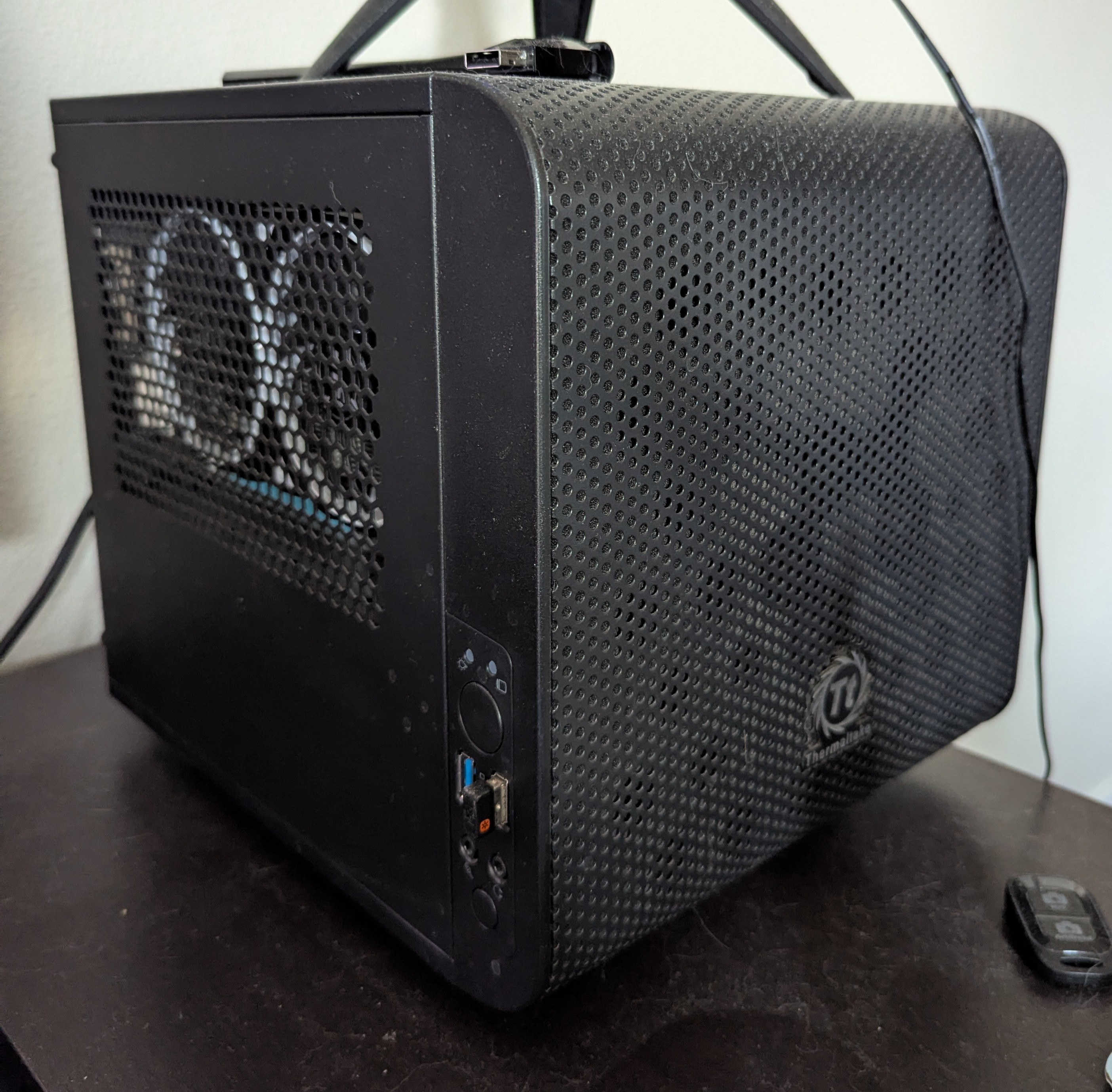
Since Gargy was a decade old at this point, I had to trawl through eBay to find a proper motherboard, which was sort of exciting. It was my first time looking for used parts online, and I had heard all sorts of horror stories about getting defective parts and whatnot, but this mobo turned out great, for a while at least. The PCIe bus seems to be broken, as it doesn’t recognize my GPU, but thankfully the CPU has integrated graphics, so I can still use it.
I still think a HTPC is a good idea, but I ended up not using this very much because I had BigTV and could just upload videos from THARGORAD to a USB drive and plug it into the back of BigTV. This didn’t work all the time (a lot of movies wouldn’t play audio because BigTV is an LG and I think there were codec issues), but it worked well enough.
Since my big THARGORAD upgrade, I have since disassembled SMOLCOMP entirely. I’m keeping the case but the rest is going to Free Geek. Meanwhile, the case may end up being the home for a NAS in the future. We’ll see.
BigTV
Bought: June, 2022
Type: BigTV, I mean, smart TV
Cost: $1,100 ($1,228 in 2026)

An honorable mention. BigTV is not a computer, except it is, basically. Specs:
- LG – 55″ Class C1 Series OLED 4K UHD Smart webOS TV (2021)
BigTV is good. BigTV make moving picture on screen look good. Me love BigTV.
NA’ANTERAL
Bought: February, 2023
Type: Tablet
Cost: $150 ($160 in 2026)
I had an ultrawide monitor at this point, which I still use and enjoy, but I missed having a second monitor to watch videos on. For some reason I thought it would be a good idea to buy a cheap tablet and make it a second monitor. This did not work at all.
NA’ANTERAL is a Samsung Galaxy Tab 8 and it sucks ass. It’s the slowest piece of computer hardware I’ve experienced in 20 years. Even your grandma would hate this thing. It was good for reading ebooks, and that was it.
I still have it but am going to donate it ASAP.
AGAGRAVON
Bought: 2024
Type: Laptop
Cost: $650 ($677 in 2026)
This is my laptop! Here are the specs:
- HP – Pavilion 16″ WUXGA Touch-Screen Laptop
- AMD Ryzen 5 8540U
- 8GB Memory
- AMD Radeon Graphics
- 512GB SSD
This is a great laptop for the price! The touch screen is cool too even though I hardly ever use it.
More importantly, this effectively replaced SMOLCOMP, because if movies won’t play when I plug them into the back of BigTV from the USB drive, I can plug the drive into the laptop and just cast the screen to BigTV. This is how I started a rewatch of Buffy the Vampire Slayer, as I wanted to watch the OG aspect ratio and not the shitty HD “remaster” and the files I found online wouldn’t play on BigTV. (Note to self: You need to finish that rewatch.)
GOGREZ
Bought: 2026 (repurposed)
Type: Raspberry Pi
Cost: $90 ($90 in 2026)
GOGREZ is a reincarnation of BALGRAHR. It’s five things, basically:
- COMP: Raspberry Pi 4
- USB: j5create – USB 3.0 7-Port HUB – Black
- SSD: 2x Western Digital Blue 500 GB 2.5″ Solid State Drive
- CASE: 2x Insignia™ – 2.5″ SATA to USB-C HDD Enclosure – Black
I only bought the USB hub and the SATA enclosures. I was trying to get a cheaper hub than the one I got, but my local Best Buy didn’t have it and after two separate employees tried to find it, a third employee casually said, “It’s probably been stolen.” (Also I guess I bought a power strip too but that’s not a computer.)
AGAGRAVON lived in a shoebox for a while.
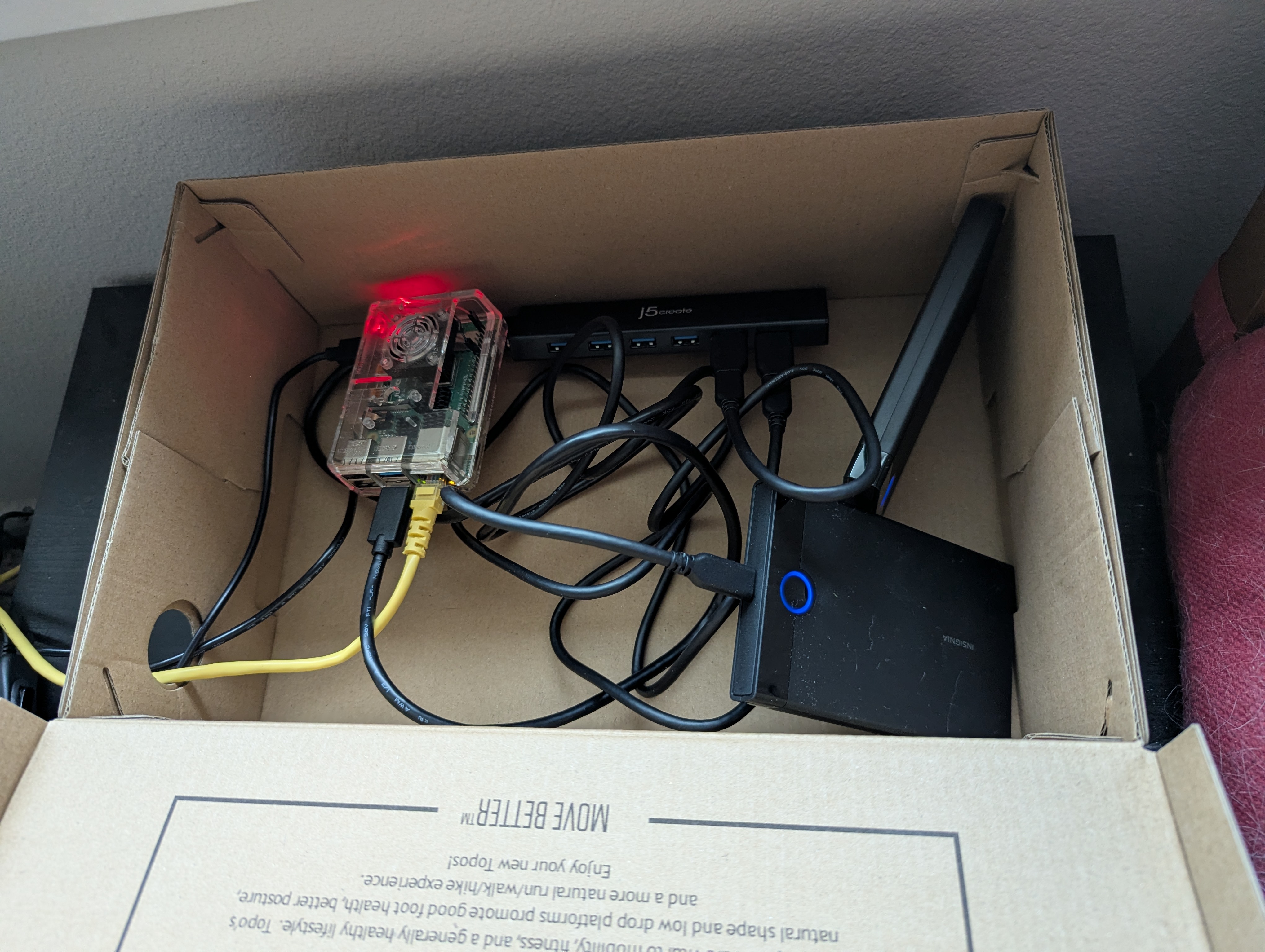
The impetus for putting this together is to make a personal web server for FoundryVTT, so I could use a domain name rather than my computer’s IP address, allowing players to log on without getting scary security warnings from their browsers. Since then it has become a big trial-and-error Linux experience.
I outlined a lot of the process of putting this together on my Substack. Suffice it to say, it worked, eventually, and it’s pretty cool! I just have a little website for TTRPG games with friends. Neat.
THARGORAD 2.0
Upgraded: March, 2026
Cost: Upgrades, $600. In total, after all upgrades, $3,822 (around $4,100 in 2026)
After alllllll this nonsense, you’d think I was finished, wouldn’t you. But here’s the thing: AI companies are ruining the parts market for PC builders, particularly in the RAM and storage departments, as they buy tons of it for their water-guzzling servers. RAM that cost under $100 back in the day is now nearing $200, and that’s DDR4. Next gen, DDR5 RAM is around $400-$500.
Because of this, I had a think, and rattled some thoughts around in my middle-aged brain. Ultimately, I decided to upgrade the core components of THARGORAD to make them as new(ish) as possible, effectively future-proofing my PC until prices die down, which they probably never will. Thus, despite still having an “older” computer compared to the current market of AMD & Intel processors and DDR5 RAM, I would still have something that could compete for as long as GARGAROTH did.
Here’s what I bought:
- AMD Ryzen 7 5700X – Ryzen 7 5000 Series Vermeer (Zen 3) 8-Core 3.4 GHz Socket AM4 65W None Integrated Graphics Desktop CPU Processor
- NZXT – Kraken Plus 280mm Radiator CPU Liquid Cooler (2 x 140mm F140P Fans) with 1.54″ Square LCD – Black
- MSI – B550 GAMING PLUS (Socket AM4) AMD B550 ATX DDR4 Motherboard – Black
- Crucial – P310 1TB Internal SSD PCIe Gen 4 x4 NVMe M.2
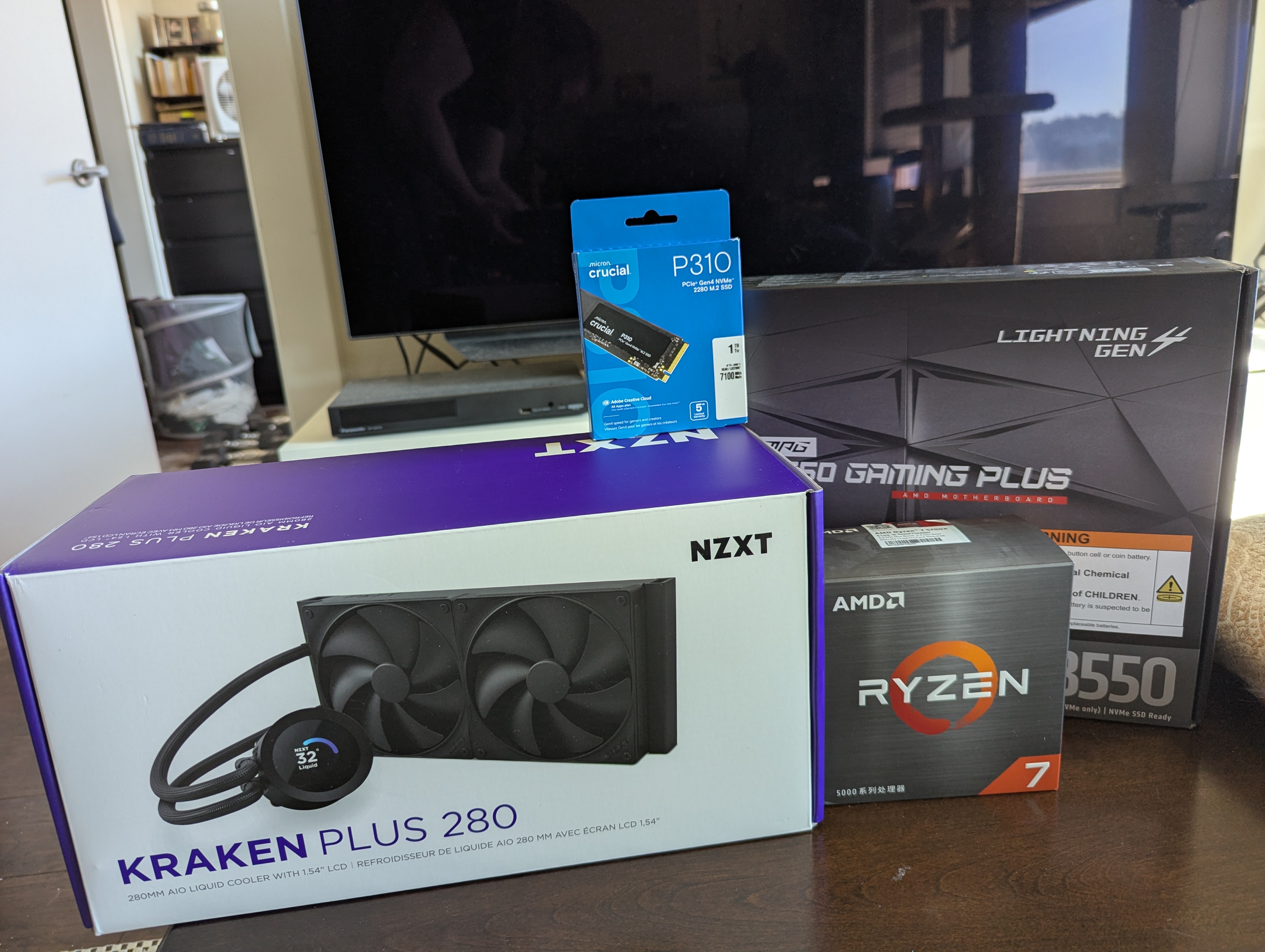
Basically, a bump in the CPU and motherboard, an AIO cooler (always wanted to try one), and, as always, more storage.
The cost for this altogether was $600 ($600 in 2026). And everything was cheaper than it would’ve been had I bought it originally. In fact, my Ryzen 5 3600, which cost $175 in 2020, would be about $220 today–except it wouldn’t be, because it’s very old and even the budget-friendly Ryzen 5 5500, a better CPU, is under $100. Regardless, 7 is more than 5 so I got a better CPU. So there.
I spent all of Friday night installing the new components–though first, I rearranged the furniture in my living room. I did this for a couple reasons, but mainly because my tower was on the left side of my desk in the old spot, in the corner, so I had no view inside the glass panel. The NZXT AIO has an LCD screen to display temps and stuff, and by gum I wanted to see it. So I moved everything in my tiny living room apartment around. But I see it now! I see it!
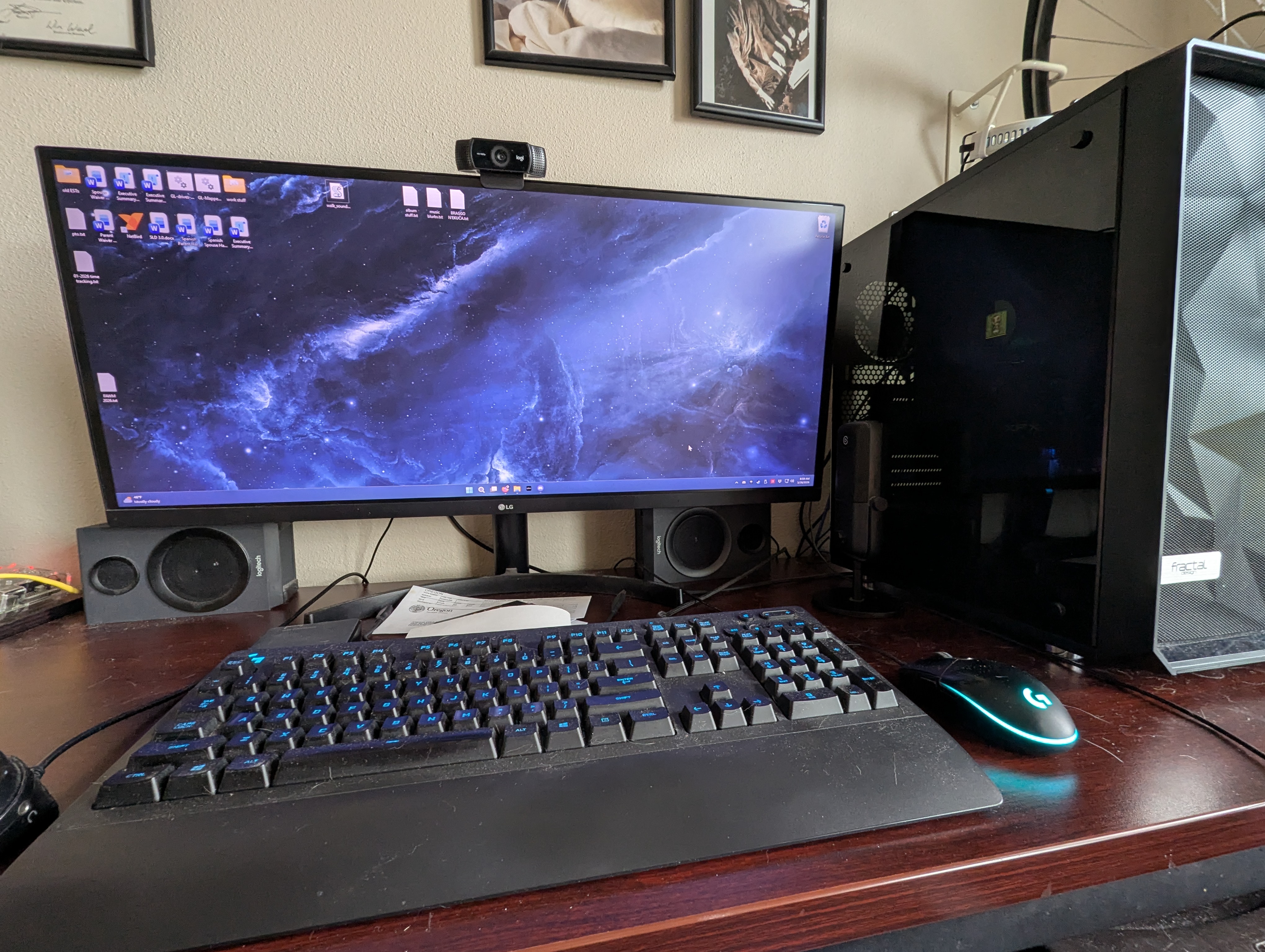
Having the CPU temp on the LCD screen was nice but I had a better idea:
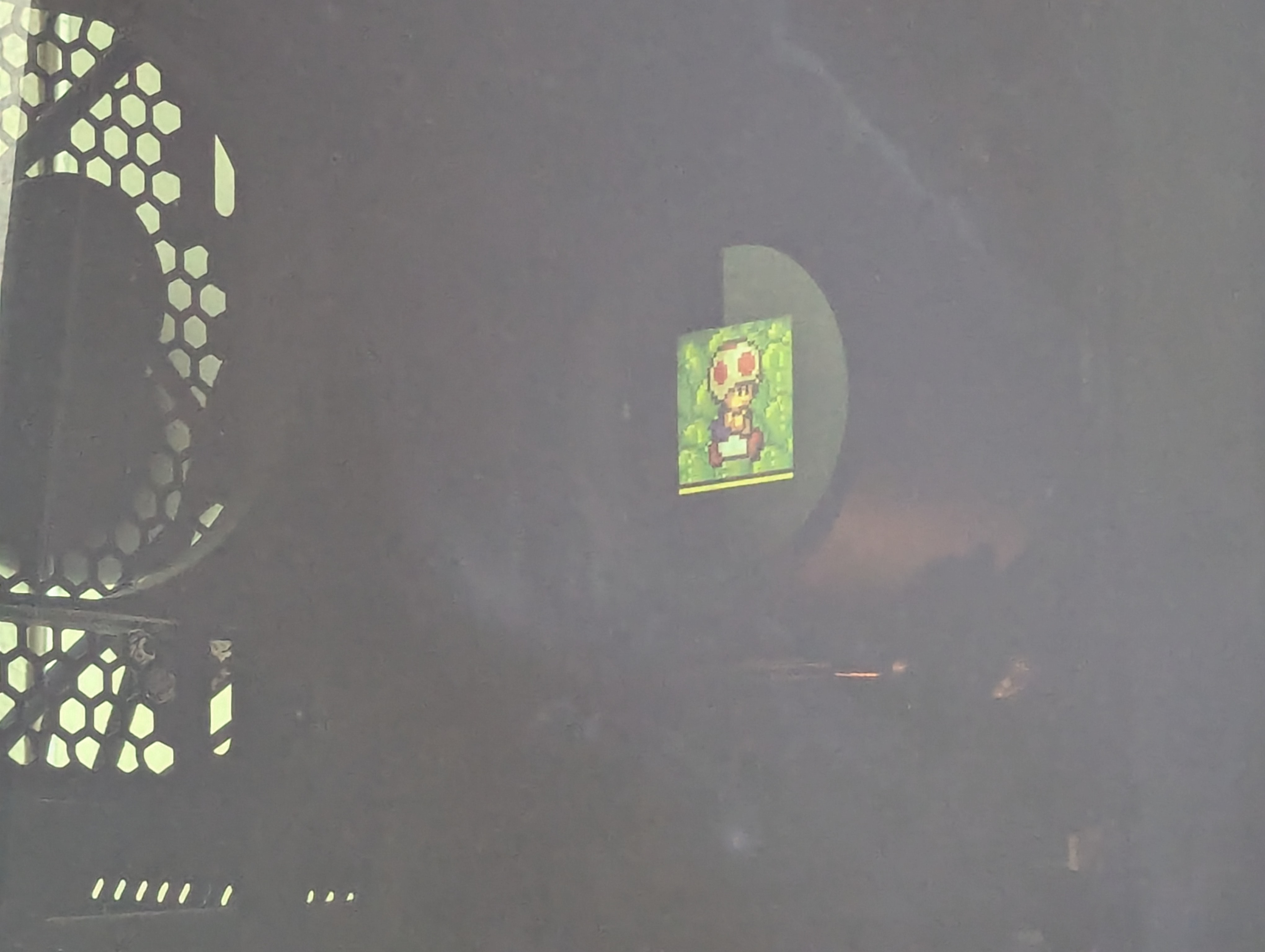
That is this:

But I can’t add the video because I don’t give WordPress enough money. He is running on a little monitor on the CPU pump itself. That’s just neat.
The B550 is a big upgrade for a data hoarder like me. The B450 has one M.2 slot which, when used, disabled the last two SATA inputs. The B550, on the other hand, has two M.2 slots and when they are both in use, disables the second PCIe x16 slot, instead of the SATA slots, which is a MUCH better idea. Who uses the second PCIe x16 slot? Besides NERDS
Installing this new setup was a real pain in the ass, for three reasons.
First: I’ve never installed an AIO before so I had to figure that out. The issue was that my AIO is too big to fit at the top of the case for exhaust (the “optimal” setup), so I had to put it at the front, for intake instead. While supposedly less than optimal, I do like the idea of these larger fans pulling in cooler air.
NZXT’s instuction booklet was so fucking weirdly laid out that it was genuinely hard to understand for a while. That plus there being NO indication anywhere that the pump had thermal paste pre-applied made me wish that they would have had some “AIOs for dummies” booklet. (Yeah yeah, I probably could’ve watched a YouTube video on my phone, but I didn’t want to do that.)
Second: I basically screwed in the motherboard and then had to unscrew it because some wires from the previous setup were stuck behind it. And then, much later on, I discovered that the rear exhaust fan’s wires were stuck, notched between the rear I/O ports and the motherboard. Getting it unstuck would mean unscrewing the motherboard AGAIN, so instead I just cut the wires, because I have extra fans (and I ended up not using the extras because Cooler Master wires aren’t totally black, like the Fractal ones are).
Third: These motherfuckers.
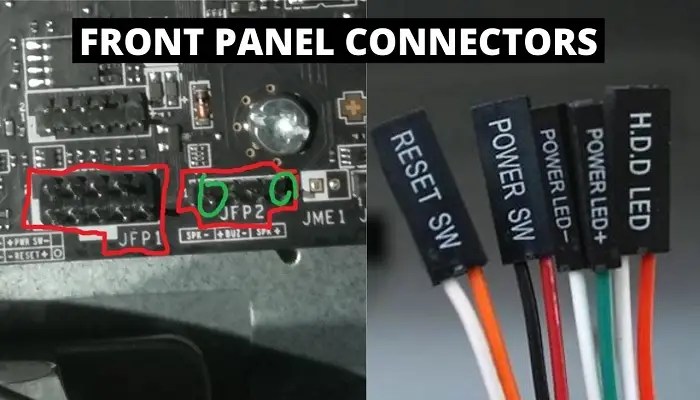
These little pieces of shit are the worst things that have ever existed. Why are they all SEPARATE?
I plugged these into where they were on my OLD board and then thought I was all done and everything was great, only to wonder why my PC wasn’t booting up at all. Thankfully I glanced at the mobo instructions and noted that I hadn’t plugged them into the JFP1 pins at all. Problem was, the JFP1 pins were more forward on the B550 and the front panel plugs wouldn’t reach.
This meant I had to pull all of these little shits out of the tiny hole on my PC case that I had threaded them through before, and then awkwardly shove them through another tiny hole, one at a time, with WAY more shit in the way. For cable management, of course. I nearly threw my entire computer into a lake because of it. I’m sure if you’ve ever dabbled in cable management, you know that I mean.
WHY ARE THEY ALL SEPARATE LIKE THIS JUST MAKE THEM ONE BLOCK YOU BASTARDS.
After all that nonsense, the computer did finally turn on and Windows was like “R U NEW PC?” and was like “No” and Windows was like “PLS ACTIVATE WINDOWS” and I was like “Fuck off” and Windows finally got the hint.
And now my PC is a lot faster than it used to be! It’s kind of wild. I was fine with the Ryzen 3600 but now that I have this, it’s noticeably different.
THE FUTURE
Right now I have a couple of ideas about what to do for future builds:
- First, and most obvious, would be to build an AM5 socket PC. But that is expensive and likely won’t happen anytime soon. I’m waiting for the AI bubble to burst.
- A possible rebuild using my Ryzen 5 3600 and a mini-ITX board within the SMOLCOMP case. I’m debating whether to do this, or to store the B450 + CPU in case my new setup fails. If I rebuild, it will be to create a NAS. If I don’t, then:
- I am going to put GOGREZ into the Thermaltake case. Just stuff it in there. Why the heck not.
THE END
Good golly miss molly was this a long post. But that’s the history of my PC ownership! Hopefully you gained something from it. If anything, maybe you enjoyed reminiscing about old PC specs. Or maybe you’re mad/bummed about the RAM price hike too!
Until next time!